
I’ve been raising lobsters (running OpenClaw) for a while now and have tried all kinds of tools and skills. There are a lot, and many of them are really convenient. If I had to recommend some, I think these four are must-installs for beginners, and I’ll sneak in a plug for my own money-saving skill too 😂
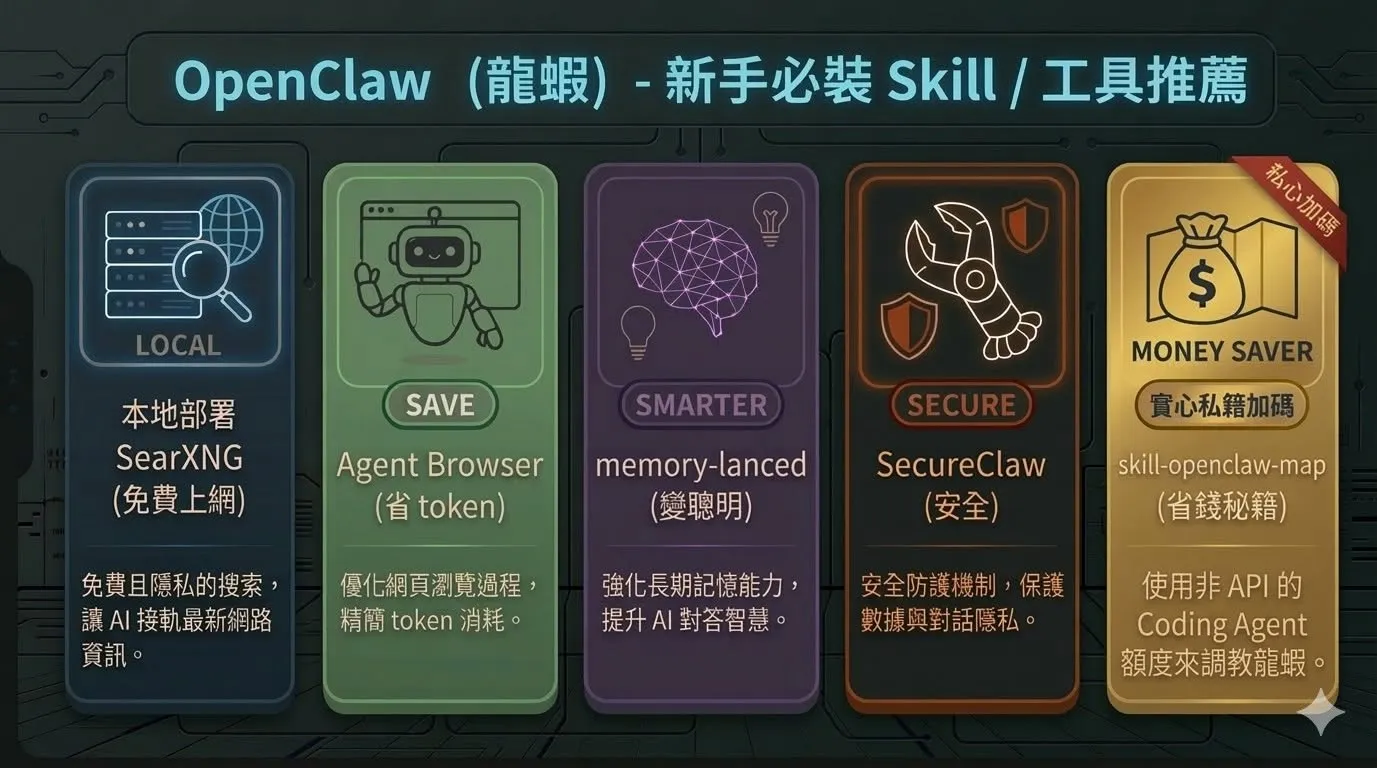 𝟏. Self-hosted SearXNG (free web search)
SearXNG is an open-source metasearch engine. Once you host it locally, OpenClaw can use it directly as a search engine. The biggest benefit is that it’s completely free: no Google API key to apply for and no search fees. OpenClaw can look up whatever it wants without you worrying about the bill.
Deployment is pretty simple. Run it with Docker, set up JSON output so OpenClaw can parse the results, and basically once it’s configured you never have to touch it again.
𝟐. Agent Browser (saves tokens)
I think a lot of people overlook this one. OpenClaw’s built-in Agent Browser lets it operate a browser directly: open pages, click buttons, fill in forms, take screenshots.
Why does it save tokens? Because for some tasks, if you rely purely on the LLM to parse a web page, you have to stuff the whole page’s HTML into the context, and token usage is enormous. If OpenClaw operates the browser directly, it only has to process what’s on screen, and the tokens saved really add up.
Remember to use a separate browser profile. Don’t let OpenClaw anywhere near your own logged-in sessions.
𝟑. memory-lanced (gets smarter)
OpenClaw already has a memory system, but the memory-lanced plugin strengthens it further, making vector search more accurate and memory recall and storage more efficient.
Simply put, OpenClaw remembers better what you’ve told it, and learns from mistakes it’s made. The longer you work with it, the more useful it gets. In my experience the difference after installing this is pretty clear: answer quality and continuity of context both improve.
𝟒. SecureClaw (security)
This one really gives you peace of mind. SecureClaw is an open-source security plugin from Adversa AI that audits and protects your OpenClaw setup, with 55 checks covering prompt injection, credential leaks, malicious-skill scanning and more.
Honestly, OpenClaw can do so much: read and write files, run commands, go online. Without basic security protection, the risk isn’t small. Especially when installing skills from ClawHub, you don’t necessarily know what’s hidden inside. SecureClaw’s skill scanner checks for malicious patterns, so you can use them with more confidence.
𝟓. skill-openclaw-map (saves money; a plug for my own skill)
I’ve shared this before: it’s a skill I wrote that lets coding agents like Antigravity and Claude Code maintain and improve your OpenClaw setup directly.
The idea is simple. Coding agents don’t understand OpenClaw’s architecture, so this skill teaches them how to operate OpenClaw, where to find the logs, how to schedule cron jobs, how to modify the skills you’ve written, and so on. When OpenClaw breaks or you want to adjust a skill, just open Antigravity with this skill. You don’t have to burn Opus tokens every time, which saves a lot.
In my own testing it saves about $25 a day. Maintenance runs at Opus level the whole way, but it uses the coding agent’s quota, not OpenClaw’s API bill.
Those are the five I’ve found most worth installing as a beginner. Once they’re in, raising your lobster gets a lot better.
Feel free to add your own; there really are lots of great tools. That’s how raising lobsters works: things only get smoother when the community shares with each other 🙌