
 More and more people around me have started playing with OpenClaw lately, but when it comes to API sources, everyone gets stuck. Running models locally has a high hardware bar, and proxying a Claude Code or Gemini CLI account carries the risk of getting banned; both Anthropic and Google have already run a wave of bans this year.
Honestly, I think this problem is easier to solve than it looks. There are several paths available right now. Some are completely free, and some cost less than a cup of coffee a month. The combination I actually use has been fairly stable, so I’ve written it up here for reference.
First, the three things I care about when choosing an API source: the model can’t be too weak (running OpenClaw on a 7B-class model is pointless), data security needs basic guarantees (OpenClaw touches personal information, and an API of unknown origin is too risky), and it can’t violate the terms of service and get the account banned.
Completely free options
Groq: almost absurdly fast
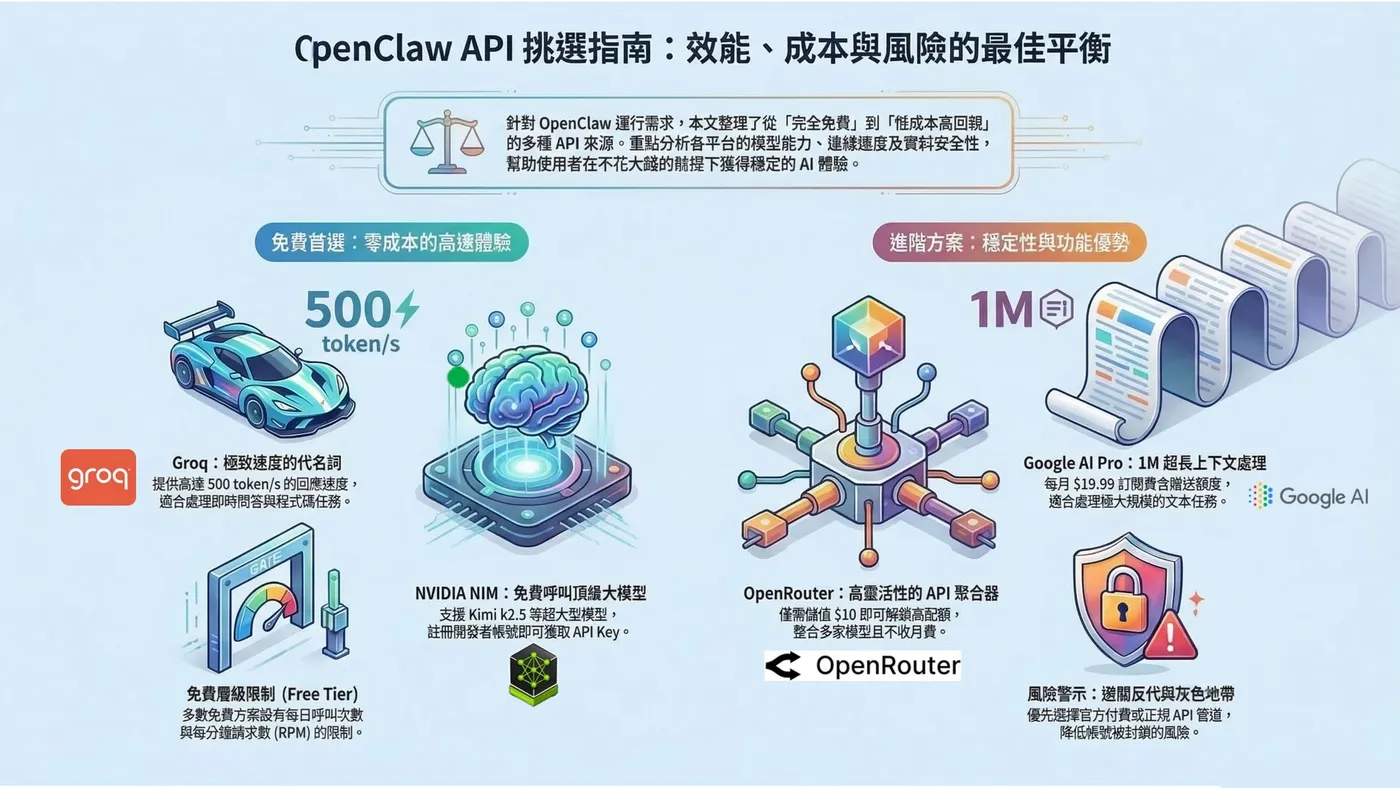
I’ll start here because it’s one of the free sources I use most day to day. Groq started as an AI chip startup whose founder was formerly Google’s lead TPU architect, and NVIDIA acquired it at the end of 2025. The API has actually gotten more stable since the acquisition.
The defining feature of their chips is speed. GPT-OSS can run at 500 tokens/s, and responses feel practically instant. The free tier needs no credit card and supports open models like Kimi k2, GPT-OSS and Llama 3.3 70B, with 1,000 calls a day at 30 RPM, which is plenty for personal use.
My impression is that Kimi k2 does better on coding tasks, while GPT-OSS is smoother for general Q&A.
After signing up at console.groq.com, go to the API Keys page, create a key starting with gsk_, and you’re ready.
NVIDIA NIM: big models for free too
NVIDIA’s Developer Program offers free API access to quite a few models, including Kimi k2.5 (1 trillion parameters, in the top tier of open models right now) and GPT-OSS-120b (OpenAI’s open 117B MoE model).
The official QPM limit is 40, but the actual experience depends on model size. A huge model like k2.5 occasionally acts up, while models around 100B run more smoothly.
Signing up just needs an email and a phone number. Apply for an NVIDIA Developer account at build.nvidia.com, find the model you want, click Deploy → Get API Key, verify your phone number, and you’ll get a key starting with nvapi-.
Spend a little, get a much better experience
OpenRouter: $10 unlocks a high quota
OpenRouter is an API aggregation platform. Many model providers put their APIs on it, and users call all of them through OpenRouter. The upside is choice: you can find even fairly obscure models.
Free accounts get 20 RPM and 50 calls a day. But top up your account with $10 and you unlock 1,000 calls a day. That $10 stays in your account as a balance and isn’t charged for free models; it’s purely an unlock threshold, not a monthly fee.
Sign up at openrouter.ai, create a key under Settings > API Keys (starting with sk-or-), and if you want the higher quota, top up on the Credits page.
Google AI Pro: unbeatable context window
This path is a little more involved, but I think the value is excellent, especially for tasks that need long context.
A Google AI Pro membership is $19.99 a month and comes with Google Developer Program Premium, which gives you $10 of Google Cloud credits every month. Those credits can be used directly to call the Gemini API (AI Studio or Vertex AI both work), and because it’s the paid tier, the rate limits are far more generous than a free account: roughly 150 RPM / 2,000 RPD for Gemini 2.5 Pro, and higher for Flash.
$10 doesn’t sound like much, but at Gemini 2.5 Flash pricing (input $0.15/M tokens, output $0.60/M tokens), it covers more than 15 million input tokens. That’s more than enough for everyday light tasks in OpenClaw, and the key point is that Gemini’s 1M context window is something no one else can match right now.
Setup: subscribe to AI Pro → set up a billing account in Cloud Console → enable Premium on the Google Developer Program page (linked to the billing account) → create an API key in AI Studio and turn on the paid tier. The credit refreshes monthly and is valid for a year.
One trick I’ve heard about but haven’t tried myself: AI accounts can be added to a family group, with up to five family members per account, and each member’s credit can accumulate into the same billing account. In theory that multiplies the credit by five.
Everyone worries about bans, but so far Google has mainly banned accounts abusing the free tier or running proxies. Using the paid API through a regular AI Pro subscription doesn’t violate the TOS, and I haven’t seen any cases of bans so far.
A gray-area option: OpenAI Codex OAuth
I need to spell out the risks of this last one. With a ChatGPT subscription (from Plus at $20/month), you can call Codex models through OAuth, using your subscription quota instead of paying per token. This route is set up through the wizard when you install OpenClaw, with no separate API key to configure.
OpenClaw uses the same OAuth authentication as Codex CLI, and lots of people in the community use it. But honestly, OpenAI has never said in black and white that “third-party tools can use a ChatGPT subscription to run automation.” Anthropic shut down third-party OAuth for Claude subscriptions in early 2026. OpenAI hasn’t made a move yet, but no one can say whether it will follow.
My advice is to use it as a supplement only: don’t run batch jobs on it 24/7, and don’t make it your only dependency.
How I combine them
My current setup is Groq + NVIDIA NIM for everyday tasks. Both are free, and speed and stability are decent. When I need long context, I switch to Gemini through Google AI Pro, since nothing replaces a 1M context window right now.
Put plainly, the API cost of running OpenClaw can be pushed very low these days. The genuinely tricky part is wiring multiple sources together as fallbacks, so it switches automatically when one goes down. I’ll talk about that another time.
If you’re using other good API sources, please share them in the comments. When I have time, I’d also like to write a from-scratch OpenClaw setup tutorial.
#AI #OpenClaw #CodingAgent #FreeAPI #DeveloperTools